
A Parent’s Guide to Safe Tech Gifts This Holiday Season

Choosing safe tech gifts for kids is the best way to ensure a happy and secure holiday season. While many gadgets look fun, finding safe tech gifts for kids requires checking privacy settings and parental controls first.
The holidays are one of the most exciting times of the year for kids and one of the most stressful for parents navigating technology. Tablets, smartphones, gaming consoles, and smartwatches top many wish lists, but along with the excitement come real concerns about safety, privacy, and screen time.
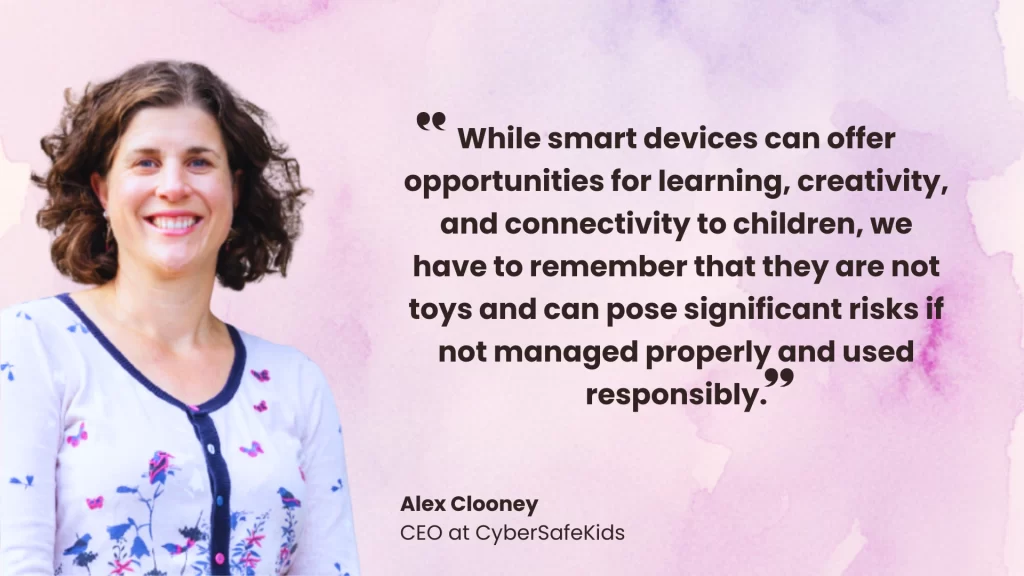
This article will help you confidently choose, prepare, and gift safe tech gifts for kids so your child can enjoy their new device while you enjoy peace of mind.
Why Tech Gifts Are So Popular During the Holidays
Tech gifts promise fun, learning, and connection. They help kids stay entertained during school breaks, support education, and allow them to connect with friends and family. But many parents overlook hidden risks when devices are powered on straight out of the box.
Hidden Risks Parents Often Overlook
- Open access to inappropriate content
- Unrestricted chat features and online interactions
- Data collection and location tracking
- In-app purchases and accidental spending
Why Prepping Devices Matters
The moment a device connects to the internet, it opens doors, both good and bad. Preparing devices before gifting ensures safety settings, filters, and rules are in place from day one.
Safe tech gifts for kids: How to choose the right device
Pick Age-Appropriate Devices
Not all tech is created equal. Choose devices designed for your child’s age and maturity level:
- Younger kids: Kid-friendly tablets, learning devices
- Tweens: Tablets, basic smartphones, smartwatches
- Teens: Smartphones, laptops, gaming consoles (with safeguards)
Safe tech gifts for kids and what makes a device kid-friendly
These are basic features that make a device kid-friendly:
- Simple interfaces
- Built-in parental controls
- Limited app stores or kid modes
Safe tech gifts for kids: Features and durability to look for
- Durability: Shock-proof cases, water resistance
- Parental controls: Content filters, screen time limits
- Privacy options: Control over location, camera, and microphone
Safe tech gifts for kids and common red flags to avoid
- Open chat or anonymous messaging features
- Poor privacy policies
- No monitoring or reporting tools
Safe tech gifts for kids: Researching brands before you buy
Before purchasing, take time to:
- Compare safety features across brands
- Read reviews from other parents
- Look for built-in restrictions (e.g., YouTube Kids vs. YouTube)
- Verify compatibility with parental control apps like Mobicip
A few minutes of research can prevent months of stress later.
Safe tech gifts for kids: How to set up devices before gifting
It’s tempting to gift a new device straight out of the box—but a little prep beforehand can make a big difference to your child’s safety. Before your child powers it on, take time to set it up thoughtfully.
Start by doing the basics:
- Unbox the device, run updates, and remove unnecessary or preloaded apps
- Create separate parent and child accounts
- Turn on platform-specific parental controls (iOS, Android, Windows, gaming consoles)
- Connect the device to a parent dashboard for monitoring
This way, the device is protected from the very first use.
Safe tech gifts for kids and locking down safety settings
Strong default settings reduce exposure to risky content and interactions:
These are some basic settings that need to be ensured:
- Enable SafeSearch and restricted modes
- Tighten privacy settings (location, camera, microphone access)
- Disable in-app purchases and unknown downloads
- Set strong passwords and enable two-factor authentication
These steps significantly reduce exposure to harmful content and unwanted interactions.
Safe tech gifts for kids: Pre-installing educational apps
These are some apps that are worth installing:
- Educational and reading apps
- Creativity tools (drawing, music, coding)
- School-related apps
These are apps that require some form of supervision:
- Social media
- Video-sharing platforms
- Multiplayer games
These are apps that must be avoided:
- Anonymous chat apps
- Social matching or live chat-heavy platforms
Curating apps helps guide kids toward healthy digital habits.
Safe tech gifts for kids and talking to children about safety
Technology safety doesn’t start with apps or controls; it starts with everyday conversations. When we talk to children about safe tech use, we set expectations, build trust, and give them the confidence to speak up when something doesn’t feel right. These conversations don’t have to be formal or intimidating—what matters is that they are ongoing and age-appropriate.
When you talk to your child, make sure you clearly explain:
- What the family’s tech rules are, and the reasons behind them, so they don’t feel arbitrary or unfair.
- The basics of digital citizenship, including being kind, respectful, and responsible online.
- What they should do if they see, hear, or experience something online that makes them uncomfortable or confused.
- That they can always come to you without fear of punishment, encouraging openness rather than secrecy.
Framing tech safety as a shared responsibility helps children see you as a partner, not just a rule-enforcer.
Kids who feel safe talking to parents are more likely to ask for help when something goes wrong.
Safe tech gifts for kids and using external safety tools
Built-in settings are a good start, but they often lack flexibility and real-time insights.
Safe tech gifts for kids: How Mobicip provides protection
Mobicip parental controls add:
- Advanced content filtering
- Custom screen time limits
- App blocking and usage insights
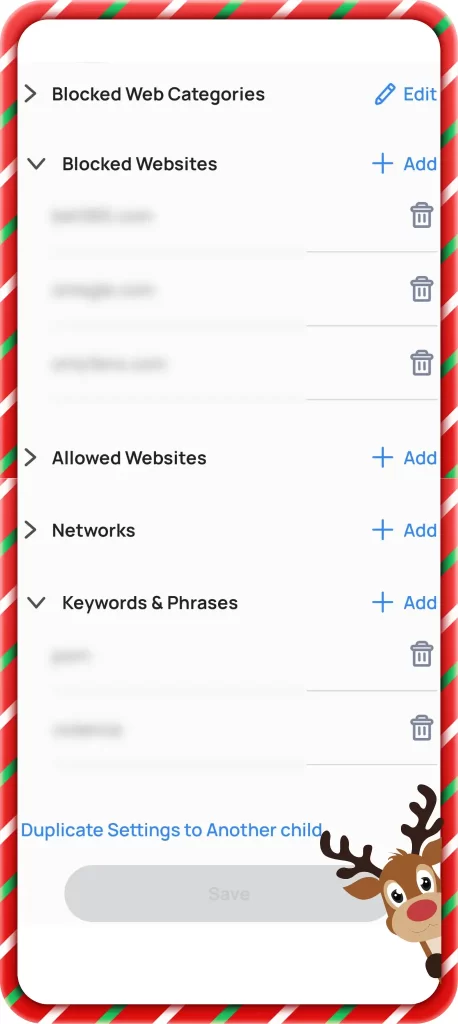
- Real-time safety alerts

Before gifting, test your settings to ensure everything works as intended.
Safe tech gifts for kids: Spotting holiday scams and risks
The holiday season may be festive, but it’s also peak time for online scams—especially those targeting children and teens. With more screen time, gaming, and gift-related activity, kids are more likely to encounter risky situations online.
Some common holiday-related online threats include:
- Fake gaming links that promise free skins, coins, or upgrades but lead to phishing scams
- Gift card fraud, where scammers ask kids to share codes or “verify” balances
- In-app purchase traps that encourage impulsive spending
- Stranger chats in games and online lobbies that can quickly cross boundaries
Helping kids recognize red flags—unexpected links, pressure to act fast, requests for personal information, or offers that seem too good to be true—can go a long way in keeping them safe.
For a deeper look at how these scams work and how parents can protect their children, read our full guide on holiday scams and online risks for kids
Safe tech gifts for kids: A final holiday checklist for parents
Before placing the gift under the tree, make sure:
- Safety settings are configured
- App permissions are tightened
- Filters and blocks are tested
- Device is set to child mode and ready

Conclusion: Safe Tech Is the Best Gift of All
Tech gifts don’t have to be scary. With the right preparation, conversations, and tools, they can be both fun and safe.
Stay involved, monitor regularly, and adjust settings as your child grows. By combining smart setup with ongoing communication and tools like Mobicip, you can protect your child’s digital wellbeing not just during the holidays, but all year round.
Because the best tech gift is one wrapped in safety.