
Digital Spring Refresh: 8 Online Safety Tips for Parents

Digital Spring Refresh is the process of reviewing, cleaning, and updating your family’s digital habits, devices, apps, and privacy settings to create a safer online environment. Just as families de-clutter closets and organize their homes in spring, digital spaces also benefit from a seasonal reset.
This matters because children’s online worlds change quickly. New apps, games, social media features, and digital risks appear all the time. Without regular check-ins, parents may not realize that devices are storing unnecessary data, privacy settings have changed, or screen time habits have drifted away from what works best for the family.
In this post, we will walk through eight simple ways to refresh your family’s online safety, from updating passwords to reviewing parental controls with Mobicip.

Digital Spring Refresh: Why Is It Important?
A family’s digital life is never static. Children download new apps, create accounts, join games, and spend time on different platforms as they grow. At the same time, devices and apps regularly change their settings, often without parents noticing.
Without regular check-ins, small issues can quietly build up over time. An annual or seasonal digital reset can help parents stay one step ahead rather than reacting after something goes wrong.
A Digital Spring Refresh is necessary because:
- Privacy settings can change automatically after app or software updates
- Old accounts and unused apps may still store personal information
- Children may start using new apps, games, or platforms without parents fully understanding them
- Screen time habits often increase gradually without anyone noticing
- Online risks such as scams, phishing, cyberbullying, and fake accounts continue to evolve
- Younger children and teenagers need different rules and protections as they grow
- Devices can become cluttered, distracting, and harder to manage over time
- Regular conversations about online safety are easier when they become part of a routine rather than a response to a problem
A Digital Spring Refresh does not have to be complicated. Even a few small updates can make your family’s online life feel more secure and better organized.
Digital Spring Refresh: 8 Tips for Parents
A Digital Spring Refresh does not need to happen all at once. Start with one device, one account, or one family habit, and build from there. The goal is not to make your family’s digital life perfect, but to make it safer, healthier, and easier to manage. These eight simple tips can help you refresh your child’s online world and create better habits for the months ahead.
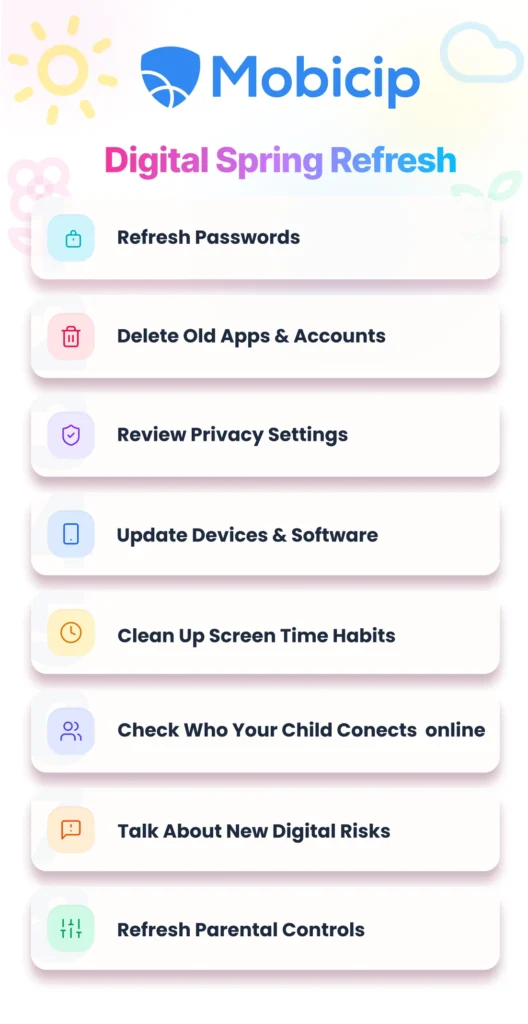
Refresh Passwords
Spring is a good time to replace weak or reused passwords with stronger ones. Make sure every important account, especially email, school, gaming, and social media accounts, has a unique password. Parents can also turn on two-factor authentication wherever possible to add an extra layer of protection.
Delete Old Apps and Accounts
Unused apps and forgotten accounts can continue collecting data long after your child stops using them. Go through phones, tablets, laptops, and gaming consoles together and remove anything that is no longer needed. This is also a good time to delete old logins and accounts that are no longer active.
Review Privacy Settings
Privacy settings often change after app updates, and many platforms default to more public sharing than parents realize. Check social media, games, and messaging apps together to make sure profiles are private, location sharing is turned off, and only trusted people can contact your child.
Update Devices and Software
Software updates are not just about new features. They often fix security issues that could leave your child’s device vulnerable. Make sure phones, tablets, computers, browsers, apps, and gaming consoles are all updated to the latest version.
Clean Up Screen Time Habits
A Digital Spring Refresh is also a chance to reset routines around screens. Look at which apps or activities take up the most time and decide whether your family’s current rules still work. You may want to bring back tech-free meals, device-free bedrooms, or a screen-free hour before bedtime.
Check Who Your Child Connects With Online
Children’s online friend lists can grow quickly, especially in games and social media apps. Review who your child follows, messages, or plays with online. Remove unknown contacts and remind children that not everyone online is who they claim to be.
Talk About New Digital Risks
Online risks change constantly, so parents should make time for regular conversations. Ask your child about new apps, games, or trends they are using. Talk openly about scams, fake accounts, phishing, cyberbullying, and AI-generated content. The goal is not to scare children, but to help them feel prepared and comfortable coming to you if something feels wrong.
Refresh Parental Controls
Parental controls should change as children grow. Review content filters, app limits, screen time settings, and web restrictions to make sure they still match your child’s age and needs. Tools like Mobicip can make it easier to monitor screen time, manage apps, and create safer digital boundaries for the whole family.
How Mobicip Can Help
A Digital Spring Refresh is easier when parents have the right tools. Mobicip can help families manage devices, monitor activity, and refresh online safety habits.
- Refresh Passwords: Use Mobicip’s Activity Reports to see which apps and accounts your child still uses regularly, so you know which passwords to update first.
- Delete Old Apps and Accounts: Mobicip’s App Usage and App Install Alerts help parents identify forgotten, unused, or newly downloaded apps.
- Review Privacy Settings: Mobicip’s Activity Reports show which apps and websites your child uses most, making it easier to know where privacy settings need attention.
- Update Devices and Software: Mobicip’s Cross-Platform Dashboard lets parents monitor phones, tablets, computers, and gaming devices in one place.
- Clean Up Screen Time Habits: Mobicip’s Screen Time Limits and Family Time scheduling enable setting up device-free times and healthier routines.
- Check Who Your Child Connects With Online: Mobicip’s Social Media Monitoring and App Install Alerts can help parents notice new messaging or social apps and start a conversation.
- Talk About New Digital Risks: Mobicip’s Alerts Dashboard notifies parents about risky websites, harmful content, and unusual activity that may need discussion.
- Refresh Parental Controls: Mobicip’s Web Filtering, App Blocking, and customizable schedules make it easy to update parental controls as children grow.

FAQ
What is a Digital Spring Refresh?
A Digital Spring Refresh is a seasonal review of your family’s devices, apps, passwords, privacy settings, and screen time habits. This can help with digital hygiene and develop discipline.
How often should parents do a Digital Spring Refresh?
Parents should do a Digital Spring Refresh once or twice a year. “Spring” is really just a helpful reminder, since many families already do spring cleaning around the house. Pairing a digital cleanup with a routine can make it easier to remember, but parents can do it any time of year.
What should parents check first during a Digital Spring Refresh?
Start by updating passwords, deleting old apps and accounts, and reviewing privacy settings on your child’s most-used devices.
Why is reviewing privacy settings important for children?
Privacy settings help control who can see your child’s profile, contact them, or access their location and personal information online.
How can Mobicip help with a Digital Spring Refresh?
Mobicip can help parents manage screen time, review app activity, block inappropriate content, and update parental controls across devices.

Take Away
Digital safety works best when it becomes part of everyday family life. A seasonal reset can turn online safety into a simple habit. It gives one a chance to notice what has changed. It gives an opportunity to ensure your family’s digital world still reflects your values and priorities. Over time, these small check-ins can help children build stronger digital judgment.