Screentime (coded)
Schedule Screen Time & App Usage
Set daily screen time schedules for apps and websites to help create a healthier balance. Limit usage by app or category, remotely lock devices when needed, and view simple reports to stay informed and take action when necessary.
Start Free TrialFeatures of Mobicip Screen Time Scheduler
Schedules
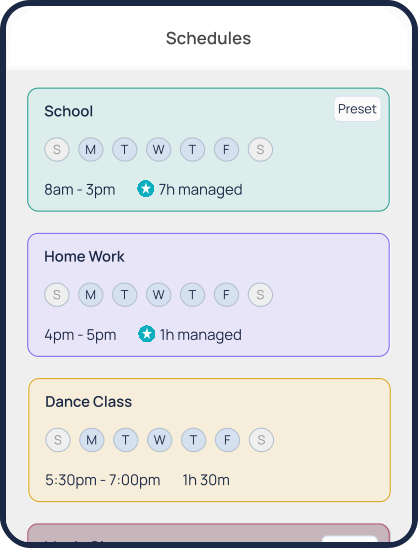
Set schedules for schoolwork, homework, sleep, and daily activities for screen time balance. Block specific apps and websites during scheduled periods to keep distractions away.
Daily Free Time Limit
Set a daily allowance for entertainment apps like games, social media, and streaming platforms—helping kids enjoy screen time within set boundaries.
Family Time
Need full attention from the family? The “Pause All Devices” feature instantly locks all connected devices, creating calm, distraction-free moments for real connection.
How to Manage Screen Time with Mobicip
Setup schedules and screen limits to improve focus and productivity.


It's a great app for kids. It keeps track of everything the child does including the amount of time spent in different apps and when settings are changed. It's safe when I can mess around in the kitchen and still keep my kids safe from toxic things.

Mobicip works great for my family. It's easy to use and navigate, and also is very comprehensive.
Why Limiting Screen Time is Important?
Kids are spending more time on screens than ever before. Studies show that children spend ~ 8
hrs on screens every day. Even though some of it might be educational, spending too much time on screens has
been linked to not getting enough sleep, bad grades and a greater risk of obesity. Check out the screen time recommendations from American Academy of Child & Adolescent
Psychiatry.
How Much Time Kids and Teens Are Spending on Their Screens?
What's the Recommended Screen Time for a Healthy Balance?


Effects of Screen Time on Sleep & Sight
Small screens (smartphones, iPads, iPods, tablets etc.) can affect sleep by:
 Throwing off the natural sleep cycle and circadian rhythm
Stimulating mental activity when it's time to shut down and relax
Interrupting sleep with notifications and pings
Emitting blue light
Throwing off the natural sleep cycle and circadian rhythm
Stimulating mental activity when it's time to shut down and relax
Interrupting sleep with notifications and pings
Emitting blue light
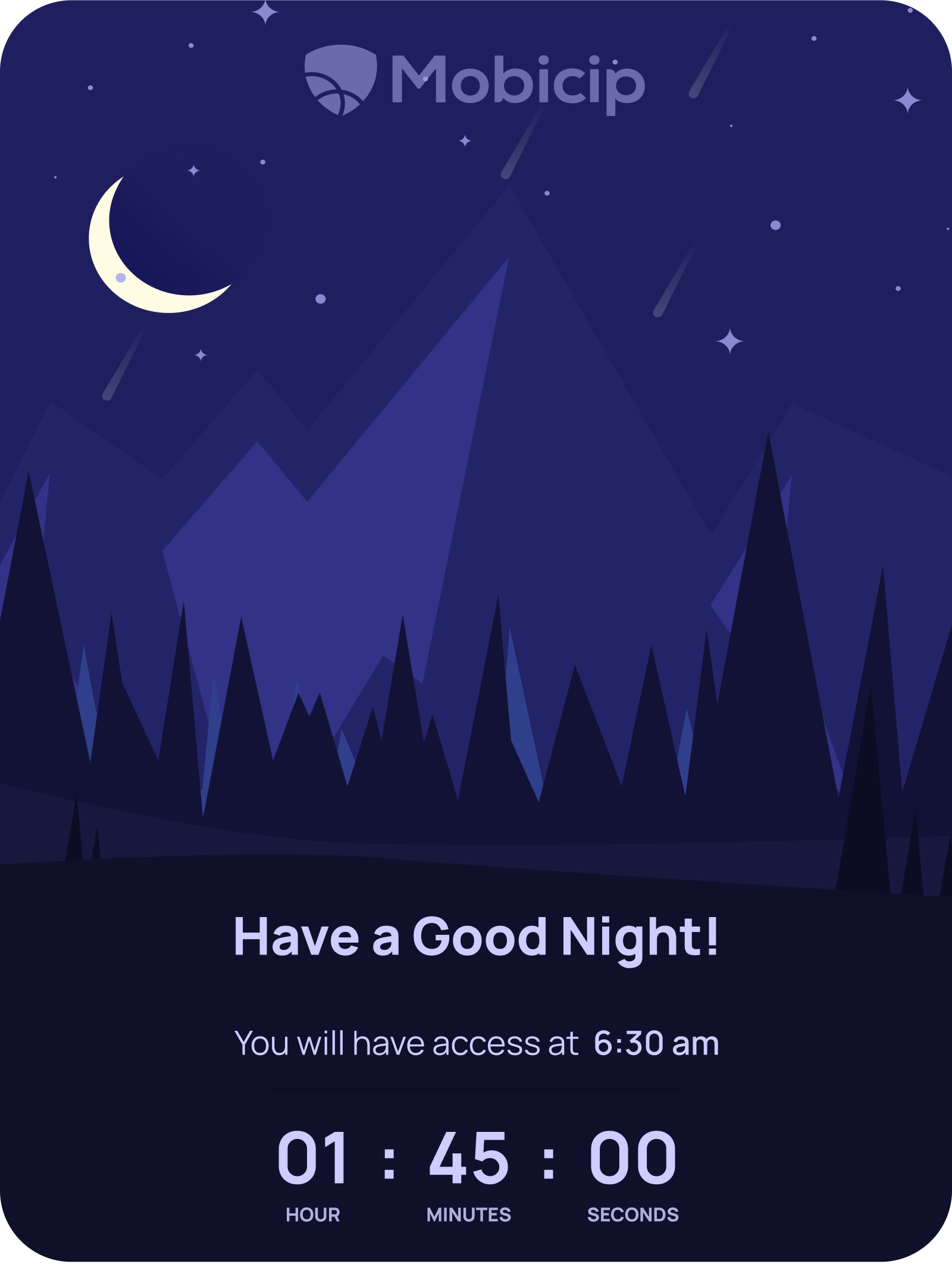
Studies conducted by the American Academy of Pediatrics have shown that children who sleep with a device nearby don't get a restful sleep and feel less energetic in the morning. The National Sleep Foundation recommends that you should stop using tablets & smartphones at least 30 minutes before bedtime. While it would be ideal to clear all electronic devices from the bedroom, it might not be practical in most cases. Parents could establish a common nighttime charging station or use screen time monitoring software like Mobicip to limit screen time more effectively.
A good restful sleep is crucial for overall wellbeing and development. And for children in the formative years of cognitive & physical growth spurts, it is extremely important to ensure a good sleep routine. Inadequate sleep has been linked with obesity, poor academic performance, crankiness among other behavioral issues, and other serious health issues.
Parents are increasingly monitoring their family's screen time consumption. We recommend you refer to the American Academy of Pediatrics for guidelines.
Why Choose Mobicip's Screen Time?
Mobicip's screen time feature(s) go well beyond what Apple's Screen Time and Google's Family Link currently offer.
An average digital family has 5 devices - 2 smartphones, 2 computers, and 1 tablet. The screen time tools from Apple and Google are limited to their respective platforms alone! Mobicip works across iPhones, iPads, Android devices, Chromebooks, Windows PCs, Macs and Kindle Fire making it a truly cross-platform solution.
Apple's Screen Time is primarily a digital wellness & reporting tool meant to show users how they use their screen time on iOS devices. It is not a parental control tool. Parents can't set up content filtering or block apps with this feature, nor can they track location. Screen time has also been notoriously easy to bypass much to the delight of many tech-savvy children.
Google's Family Link can only be used for kids up to the age of 13 on Android devices. Internet filtering and blocking inappropriate content is limited to Safe Search on the Chrome browser; which is a rather limited option that doesn't offer customized website/keyword blocking.
Mobicip is not only a great tool to customize your child's screen time. Mobicip is the most comprehensive parental control app for your family. Check out Mobicip's other cool features by clicking on the side panel.
Mobicip Pricing
Choose the plan that's right for your family
Enjoy Premium features FREE for 7 days
-
 Premium$7.99 /monthBilled AnnuallyStart Free TrialManage up to 20 DevicesApp BlockerUninstall ProtectionWebsite BlockerScreen Time LimitsManaged SchedulesFamily LocatorRemotely Lock DevicesActivity ReportsSocial Media MonitorApp TimersParenting Expert Tips
 -
Standard$4.99 /monthBilled AnnuallyStart Free TrialManage up to 10 DevicesApp BlockerUninstall ProtectionWebsite BlockerScreen Time LimitsManaged SchedulesFamily LocatorRemotely Lock DevicesActivity ReportsSocial Media MonitorApp TimersParenting Expert Tips
-
Lite$2.99 /monthBilled AnnuallyStart Free TrialManage up to 5 DevicesApp BlockerUninstall ProtectionWebsite BlockerScreen Time LimitsManaged SchedulesFamily LocatorRemotely Lock DevicesActivity ReportsSocial Media MonitorApp TimersParenting Expert Tips
-
 Mom's Choice Awards Gold Recipient
-
 Certified Secure
-
 Trusted Provider
-
 Satisfaction Guaranteed