WhatsApp Parental Control: The Ultimate Parents’ Guide to Keeping Kids Safe
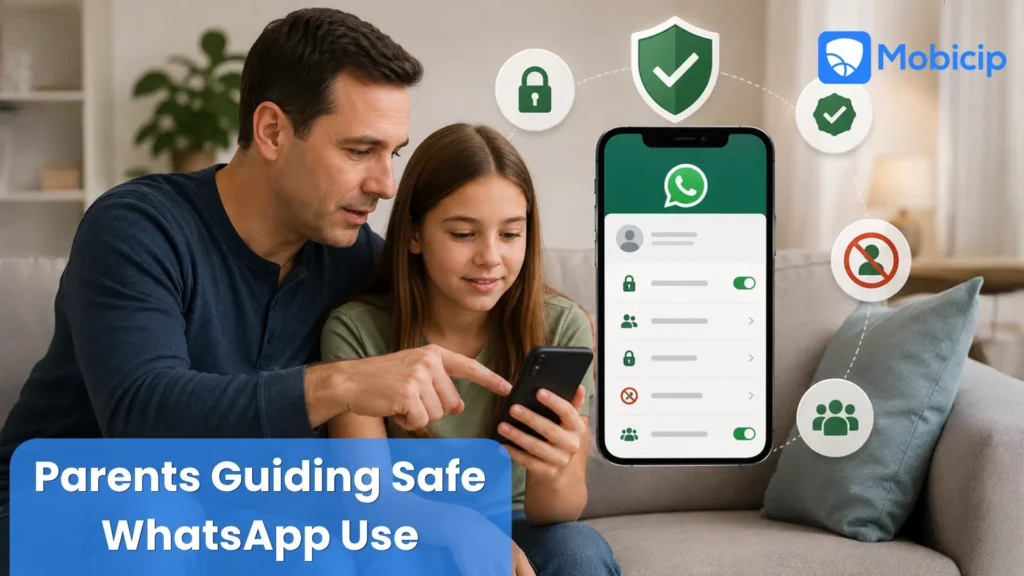
WhatsApp is a popular messaging app among children and teens and it is important for parents to understand the safety tools available to protect their kids from some of the dangers associated with the platform. While many parents search for “WhatsApp parental control,” the app does not offer a dedicated parental control feature. Instead, it provides a range of privacy and security settings that can help limit unwanted contact, improve account security, and give young users greater control over their online interactions.
As more children use WhatsApp to communicate with friends, classmates, and family members, parents need to be aware of potential risks such as cyberbullying, scams, inappropriate content, and messages from strangers. Understanding WhatsApp’s safety settings and limitations can help families encourage responsible digital habits while reducing online risks.
For parents seeking stronger protection, Mobicip adds an extra layer of safety beyond WhatsApp’s built-in features. With screen time controls, app monitoring, web filtering, and detailed activity reports, Mobicip helps parents create a safer and healthier digital environment for their children.
Why WhatsApp Parental Control Is Important
WhatsApp has become a central part of how children and teens communicate, share experiences, and stay connected with their peers. While the app offers convenience and social benefits, it also exposes young users to a variety of online risks that many parents may not immediately recognize. Understanding these challenges and taking steps to manage them can help create a safer and more positive digital experience for children.
Risks of WhatsApp for Kids
WhatsApp allows users to exchange messages, photos, videos, voice notes, and links instantly. While these features encourage communication, they can also expose children to cyberbullying, inappropriate content, online scams, and contact from strangers. Group chats may create peer pressure, while forwarded messages and shared links can spread misinformation or harmful content. Without proper guidance, children may also overshare personal information that could compromise their privacy and safety.
How Messaging Apps Influence Digital Habits
Messaging apps play a major role in shaping how children interact online. Constant notifications, ongoing group conversations, and the expectation of immediate responses can encourage excessive screen time and make it difficult for kids to disconnect. Over time, these habits can affect concentration, sleep schedules, academic performance, and face-to-face social interactions. Teaching children healthy communication practices is an important part of building responsible digital habits.
Why Parents Need WhatsApp Parental Control
Although WhatsApp includes several privacy and security settings, these features alone may not be enough to address every safety concern. Parents need effective ways to monitor digital activity, set healthy boundaries, and guide their children toward responsible online behavior. Using WhatsApp’s built-in safety tools alongside a dedicated parental control solution can help parents manage risks, encourage positive digital habits, and provide age-appropriate supervision as children navigate the online world.
WhatsApp Built-In Settings for Parental Control
Although WhatsApp does not offer dedicated parental controls, it includes several privacy and safety settings that can help parents reduce risks for children. Taking a few minutes to review these settings with your child can improve privacy, limit unwanted interactions, and create a safer messaging experience.
Controlling Who Can Contact Your Child
If your child receives messages from strangers, scammers, or individuals who make them uncomfortable, WhatsApp provides tools to stop further communication.
What parents can do:
- Teach your child to only communicate with people they know and trust.
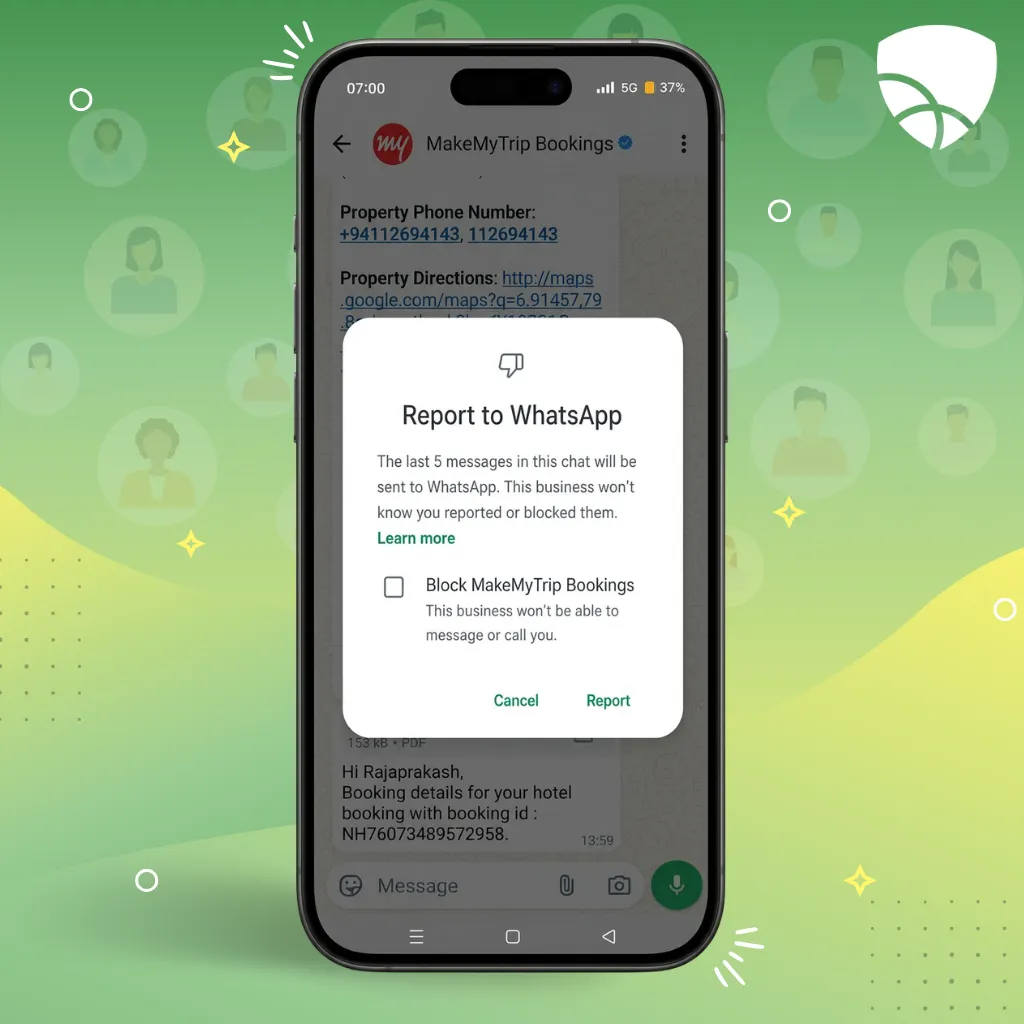
- Block unwanted contacts by opening the chat, tapping the contact’s name, and selecting Block Contact.
- Report suspicious, abusive, or spam accounts using the Report Contact option.
- Encourage children to tell you if they receive messages that ask for personal information, photos, passwords, or money.
- Periodically review your child’s contact list and remove unfamiliar numbers.
Limiting Profile Visibility (Profile Photo, Status, Last Seen)
Personal information such as profile photos and activity status can reveal more about a child than parents realize. Restricting visibility helps protect privacy and reduces exposure to strangers.
What parents can do:
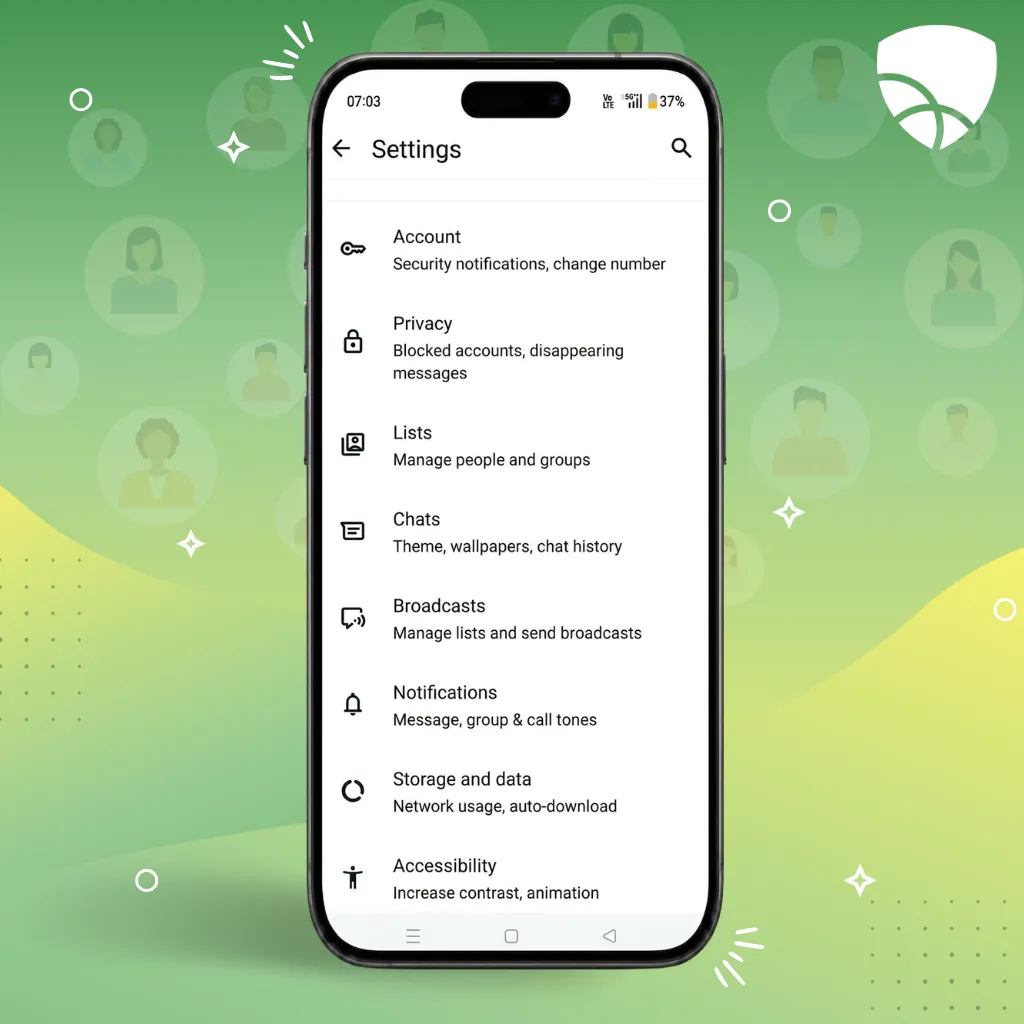
- Go to Settings > Privacy.
- Set Last Seen & Online to My Contacts.
- Limit Profile Photo visibility to My Contacts.
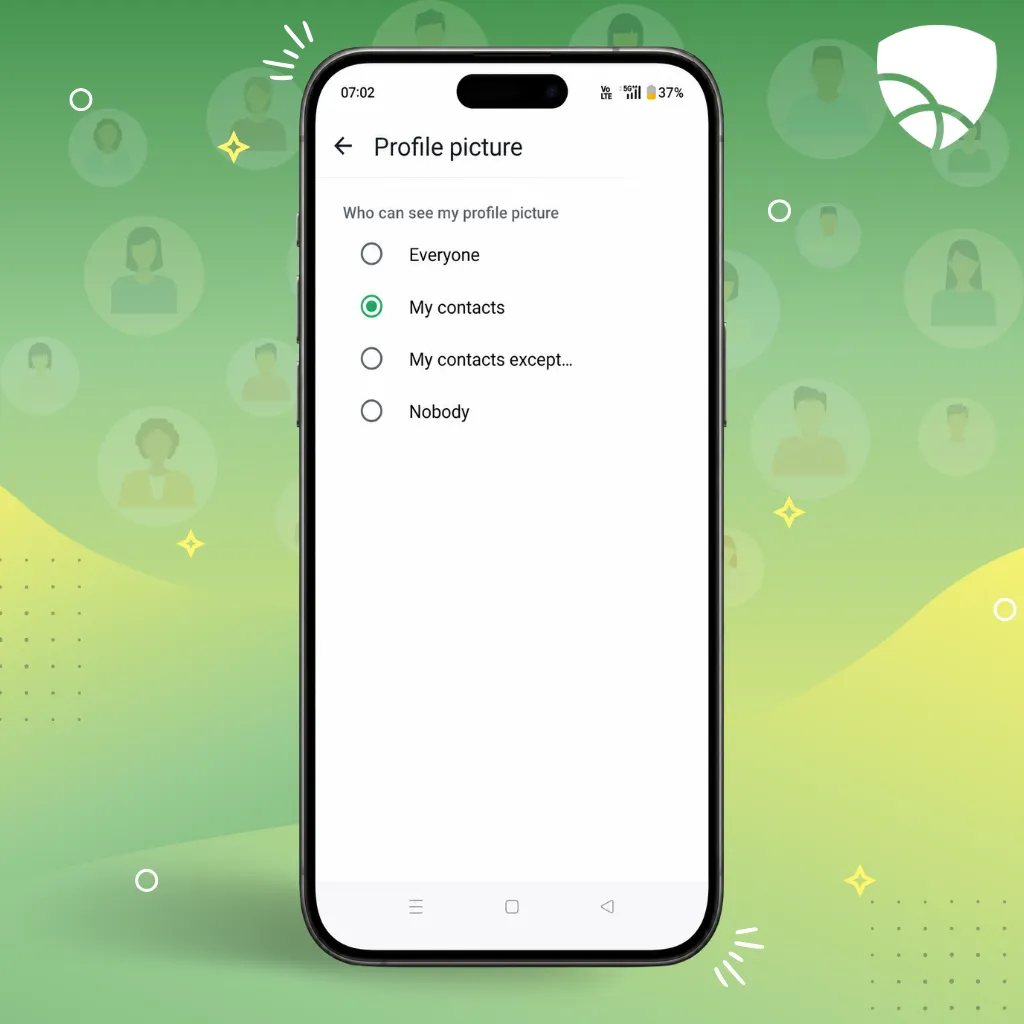
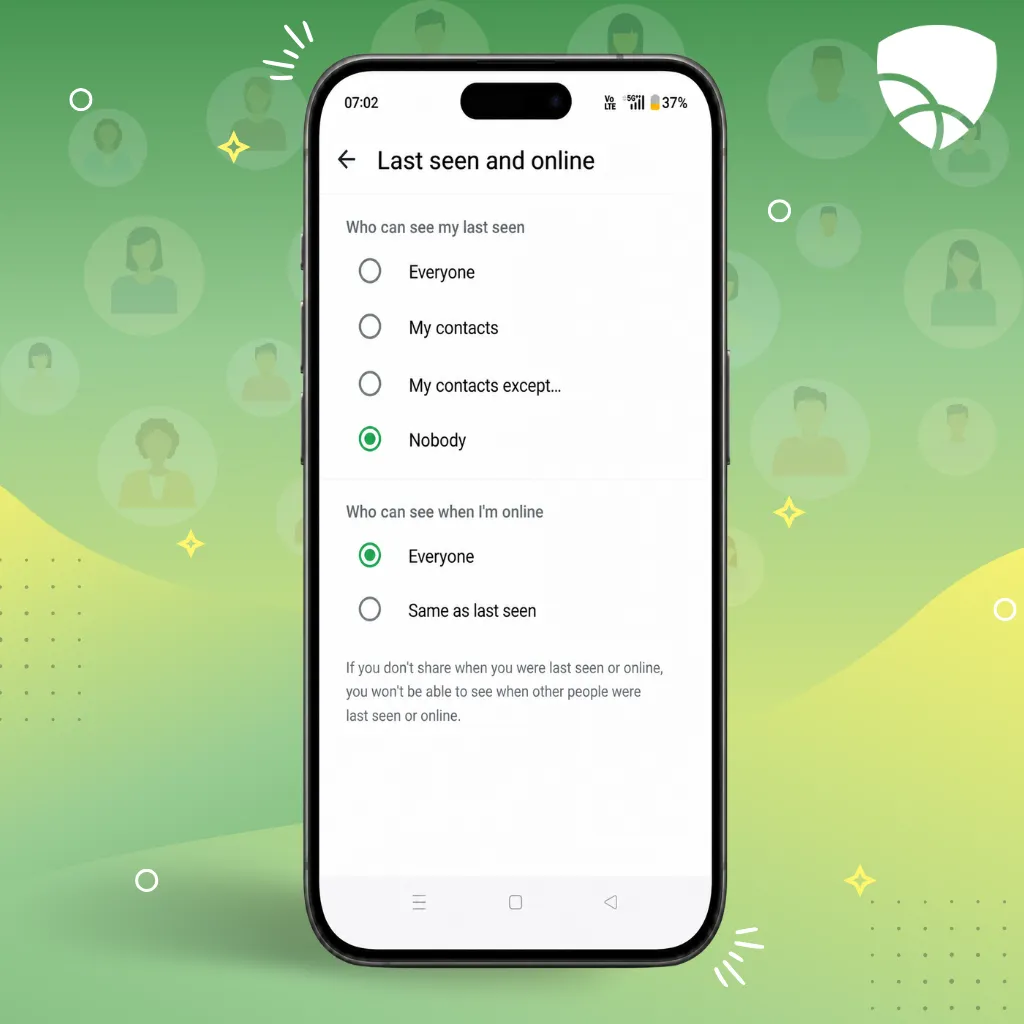
- Hide Last Seen and Online Status from strangers by going to Settings > Privacy > Last Seen and Online and selecting My Contacts or Nobody.
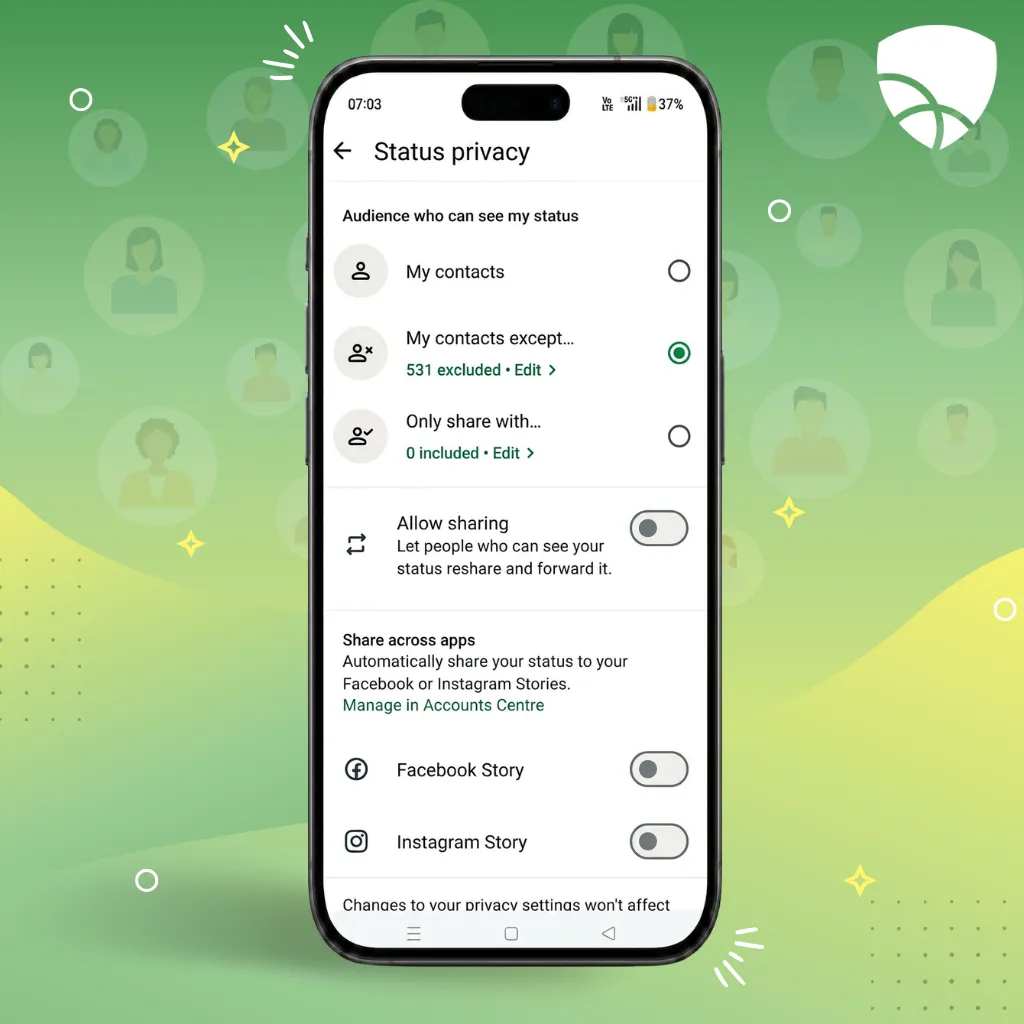
- Restrict Status Updates to trusted contacts only. Settings > Privacy > Status and selecting Only Share With….
- Review privacy settings regularly as your child’s contact list changes.
- Remind children not to use profile photos that reveal personal details such as their school, address, or frequent locations.
Managing Group Chat Invitations
Group chats can be useful for school activities and family communication, but they can also expose children to inappropriate content, peer pressure, or unknown participants.
What parents can do:
- Open Settings > Privacy > Groups.
- Change the setting from Everyone to My Contacts or My Contacts Except….
- Review new groups your child joins and discuss whether they are appropriate.
- Encourage children to leave groups that contain bullying, inappropriate content, or people they do not know.
- Explain that they do not have to accept every group invitation they receive.
- Remind children to report any harmful behavior that occurs within group chats.
These simple privacy settings cannot eliminate every risk on WhatsApp, but they can significantly reduce unwanted interactions and give children greater control over their online experiences.
Third-Party Tools to Enhance WhatsApp Parental Control
WhatsApp’s built-in privacy settings provide a good starting point for protecting children, but they are only one part of a comprehensive digital safety strategy. Many parents choose to supplement these settings with parental control tools that offer greater visibility into their child’s digital habits, help establish healthy boundaries, and provide additional safeguards across multiple apps and devices.
Why Built-In Settings Are Not Enough
WhatsApp’s privacy controls can limit unwanted contact and improve account security, but they have important limitations.
Built-in settings cannot:
- Set daily screen time limits for WhatsApp usage.
- Monitor overall device usage patterns.
- Block access to inappropriate websites accessed through shared links.
- Provide activity reports for parents.
- Help manage app usage across multiple platforms and devices.
- Offer a centralized view of a child’s digital habits.
As children spend more time online, parents often need broader tools that address overall digital wellness rather than focusing on a single app.
How Mobicip Can Help
Mobicip extends parental oversight beyond WhatsApp’s native settings by helping parents manage their child’s overall digital environment.
Key Mobicip features include:
- Screen time limits to encourage balanced device use.
- App management tools that help parents control access to apps.
- Web filtering to block inappropriate websites and content.
- Activity reports that provide insights into online behavior.
- Family-friendly controls that can be customized based on a child’s age and needs.
- Cross-platform protection for multiple devices within the family.
By combining WhatsApp’s privacy features with Mobicip’s parental controls, parents can create a more comprehensive approach to online safety.
Building Trust While Ensuring Safety
Parental controls are most effective when they are paired with open communication. Rather than relying solely on technology, parents should talk regularly with their children about online safety, privacy, and responsible digital behavior.
Ways to build trust while maintaining safety include:
- Explaining why safety settings and parental controls are being used.
- Setting clear family rules for messaging apps and screen time.
- Encouraging children to discuss uncomfortable online experiences.
- Reviewing privacy settings together instead of making changes without their knowledge.
- Gradually increasing digital independence as children demonstrate responsible behavior.
The goal is not simply to restrict access but to help children develop the skills and judgment needed to navigate the digital world safely and confidently.
Frequently Asked Questions
Can I Read My Child’s WhatsApp Messages?
Parents naturally want to protect their children from online risks, but reading private messages should be approached carefully. Trust is an important part of a healthy parent-child relationship, especially as children grow older. Rather than routinely monitoring conversations, consider discussing online safety openly and encouraging your child to come to you if they encounter bullying, inappropriate content, or suspicious contacts.
For younger children or when there are specific safety concerns, parents may choose to increase supervision. However, any monitoring should be age-appropriate, transparent, and focused on safety rather than surveillance. The goal should be to help children develop responsible digital habits while respecting their growing need for privacy.
Can I Block Certain Contacts or Groups?
Yes. WhatsApp allows users to block individual contacts who send unwanted messages or calls.
To block a contact:
- Open the chat with the contact.
- Tap the contact’s name.
- Scroll down and select Block Contact.
For groups, WhatsApp does not currently allow users to block specific groups in advance. However, you can:
- Leave any group at any time.
- Restrict who can add your child to groups through Settings > Privacy > Groups.
- Choose My Contacts or My Contacts Except… to limit group invitations.
How Do I Balance Safety and Privacy?
The best approach is to combine reasonable supervision with open communication. Explain to your child why certain safety measures are in place and involve them in discussions about online risks. Focus on teaching safe online behavior rather than monitoring every interaction.
As children mature and demonstrate responsible decision-making, parents can gradually provide more independence while remaining available for guidance and support.
Are WhatsApp Parental Control Tools Compatible Across Devices?
Compatibility depends on the parental control solution being used. Many modern parental control platforms, including Mobicip, support multiple operating systems such as Android, iOS, Windows, macOS, and Chromebooks. Before choosing a tool, verify that it supports all of the devices used within your household and offers the features you need.
How Can I Teach My Child Healthy Messaging Habits?
Healthy messaging habits begin with clear expectations and ongoing conversations.
Parents can encourage children to:
- Communicate respectfully in chats and group conversations.
- Think before sharing photos, videos, or personal information.
- Avoid responding to messages from strangers.
- Take breaks from messaging apps and avoid constant checking.
- Report bullying, harassment, or suspicious behavior immediately.
- Use privacy settings to control who can contact them and view their information.
By combining digital literacy education with appropriate safety tools, parents can help children use messaging apps responsibly while building skills that will benefit them throughout their digital lives.
Conclusion
Helping children navigate messaging platforms successfully is not about eliminating every risk; it is about preparing them to make smart decisions when challenges arise. The most effective approach combines guidance, digital literacy, and age-appropriate safeguards that evolve as children mature. By staying involved in your child’s online life and creating opportunities for regular conversations, you can help them develop confidence, critical thinking skills, and good judgment. These qualities will serve them not only on WhatsApp but across future apps, social networks, and online communities, enabling them to become responsible and resilient digital citizens.