How to Block Distracting Apps and Websites While Keeping Educational Content Active
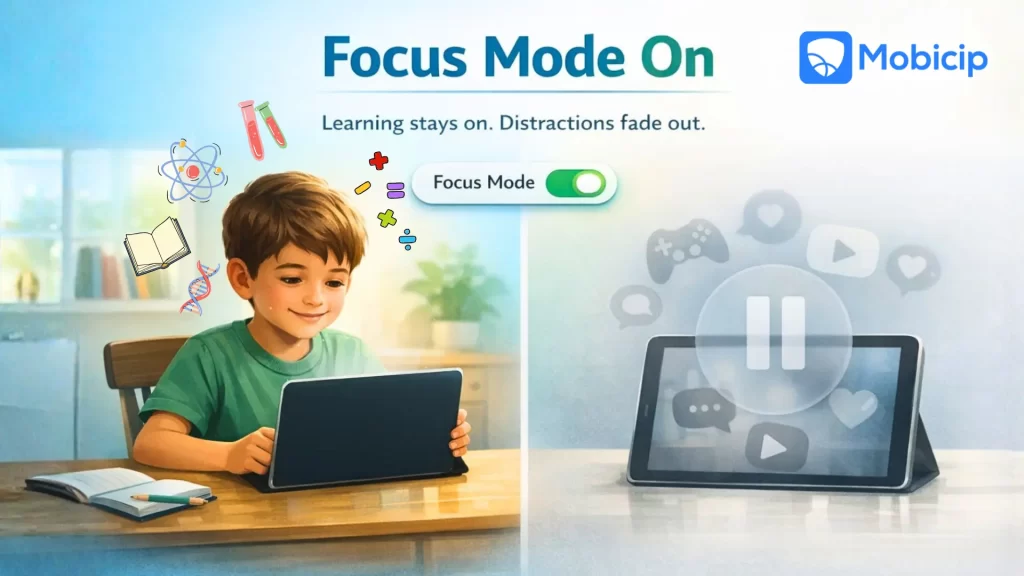
Blocking distracting apps and websites while keeping educational content available is one of the biggest digital parenting challenges today. With screens used for homework, research, and online classes, kids need focused time — not distractions — and parents need smart tools to ensure learning stays on track without cutting off essential access.
Many parents struggle to strike this balance. Blocking the internet entirely can disrupt schoolwork, while leaving devices unrestricted often leads to games, videos, and social media taking over study time. What families need is a way to reduce distractions without interfering with learning or creating daily conflicts at home.
This is where Mobicip helps. Mobicip allows parents to block distracting apps and websites while ensuring children can still access the educational tools they need. With flexible controls, smart filtering, and scheduling features, it helps families guide screen use without resorting to blanket bans.
In this post, we’ll explore practical ways to block distractions while keeping learning uninterrupted. We’ll look at how parents can set up app and website controls, create focused study time, and use Mobicip’s features to turn devices into tools for learning rather than sources of constant distraction.

Why Blocking Distracting Apps Works Better Than Blanket Screen Bans
In today’s digital learning environment, all-or-nothing screen rules often create more problems than they solve. Blanket bans can interfere with schoolwork, increase frustration, and miss the opportunity to teach kids how to manage technology responsibly.
Online learning platforms are now part of schoolwork
Many schools rely on digital tools for assignments, submissions, and communication. Students may need access to learning management systems, educational websites, research tools, and even video platforms for class-related content. Blocking all screens can prevent kids from completing homework or participating fully in their lessons.
Blocking everything can frustrate kids
When educational access is suddenly cut off, children may feel confused or punished, even when they are trying to do the right thing. This frustration can lead to resistance, secrecy, or rushing through work just to regain device access. Instead of improving focus, blanket bans often disrupt learning and increase tension at home.
Children need guidance, not just restrictions
Kids don’t automatically learn how to balance screen use on their own. They need clear boundaries, consistent rules, and explanations about why certain apps or sites are restricted. When parents focus on guidance rather than total restriction, children are more likely to develop healthy digital habits that last beyond supervised screen time.
What Counts as Distracting Apps vs Educational Content
When it comes to screen use, timing is everything. The same app or website can be helpful at one moment and distracting at another. A video platform might support learning during homework time but become a source of distraction during focused study hours. Understanding the difference helps parents set smarter, more flexible rules.
Distracting content
Distracting content is anything that pulls attention away from learning during study or school hours. These apps and sites are designed to entertain, not educate, and can easily break a child’s focus when they should be concentrating.
- Gaming apps and game sites
- Social media platforms
- Short-form video apps
- Entertainment streaming during study hours
Educational content
Educational content supports learning, curiosity, and skill development. These tools are often required for schoolwork and can help children understand concepts better when used at the right time and in the right way.
- School learning platforms
- Homework and research websites
- Educational YouTube channels
- Learning apps (math, reading, coding, science)
Practical Ways to Block Distracting Apps and Websites
Minimizing distractions doesn’t require constant monitoring or strict bans. With the right structure in place, parents can create an environment where learning comes first and entertainment stays in its place. These practical steps help reduce interruptions while keeping educational access intact.
Start with Time-Based Rules
Clear time boundaries help kids understand expectations. When children know there’s a difference between study time and free time, they are more likely to stay focused without constant reminders.
- Separate study hours and free time
- Allow stricter controls during homework hours
- Relax restrictions during breaks or weekends
- Helps kids understand when focus is expected
Block Apps Without Blocking the Device
Blocking the entire device can disrupt learning and create frustration. A more effective approach is to limit only the apps that cause distractions while keeping essential tools available.
- Block specific distracting apps instead of the entire phone or tablet
- Keep essential tools like browsers, note apps, and school portals active
- Prevents kids from feeling “cut off” while studying
Block Distracting Websites Using Content Categories
Manually blocking individual websites can be time-consuming and ineffective. Category-based controls make it easier to manage access at scale.
- Block entire categories like:
- Games
- Social media
- Entertainment
- Allow categories such as:
- Education
- Reference
- Kids learning
- Saves parents from manually blocking hundreds of sites
Allow Educational Platforms Explicitly
Some platforms are essential for schoolwork and should always remain accessible during learning hours.
- Allow school portals, LMS platforms, and homework sites
- Allow trusted educational YouTube channels while blocking general video browsing
- Review allowed sites regularly as school needs change
Leverage App and Website Schedules
Automated schedules remove the need for constant adjustments and daily negotiations.
- Automatically block distractions during school hours or homework time
- Ensure educational apps remain accessible during those periods
- Reduces daily arguments and manual toggling
Monitor, Don’t Micromanage
Oversurveillance can damage trust. Instead, light monitoring helps parents make informed decisions while encouraging independence.
- Check weekly activity reports to see:
- Time spent on learning vs entertainment
- Frequently visited sites
- Use insights to adjust rules, not to punish
How Mobicip Helps Block Distracting Apps and Websites
Mobicip is designed to help parents reduce digital distractions without interfering with education. Its features allow families to set clear boundaries while ensuring kids can still access the content they need for school and learning.
App blocking and app-level controls
Parents can block specific distracting apps while keeping educational and productivity apps accessible. This ensures children stay focused during study time without losing access to essential learning tools.
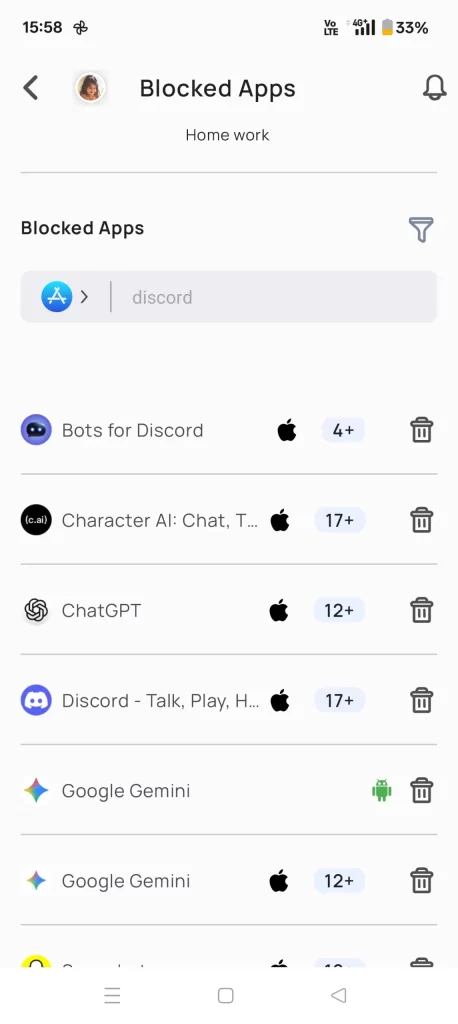
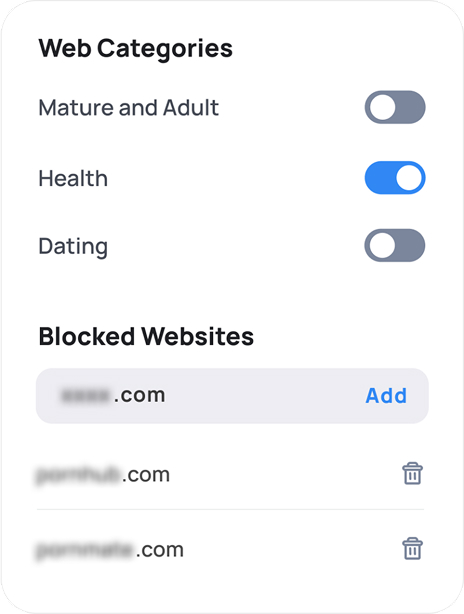
Website filtering by categories
Mobicip allows parents to block entire categories like games, social media, and entertainment, while allowing education and reference categories. This makes it easier to manage online access without manually blocking individual sites.
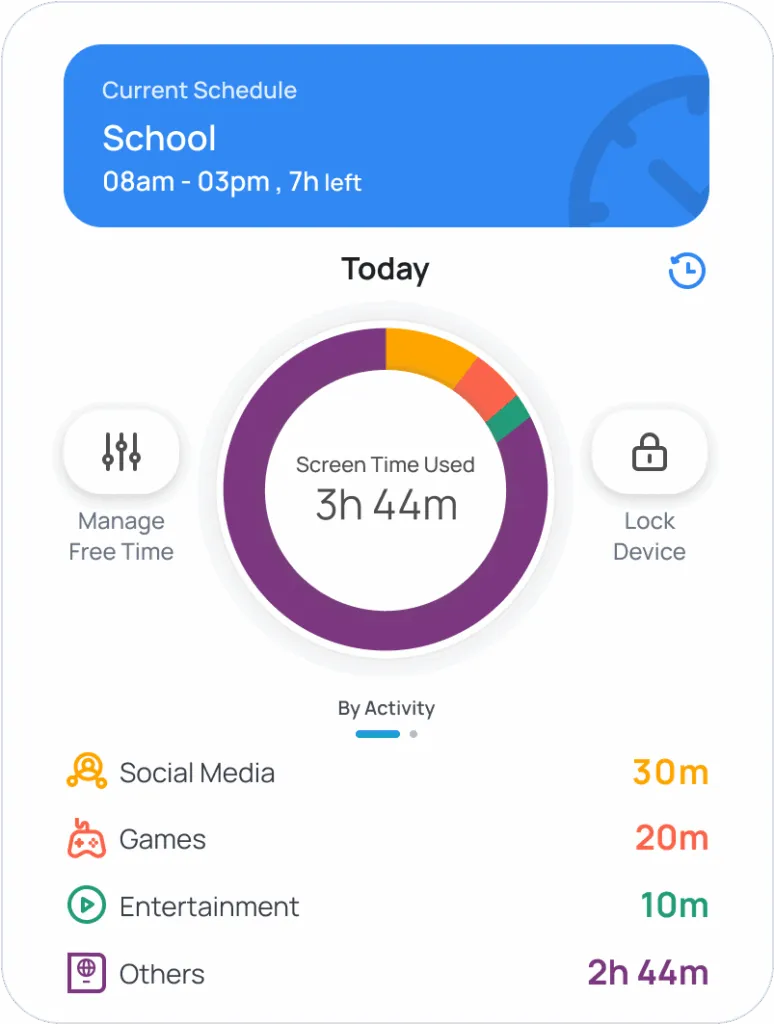
Custom schedules for screen access
With built-in scheduling, parents can automatically block distracting apps and websites during school or homework hours and relax restrictions during breaks. Educational content remains available when it’s needed most.
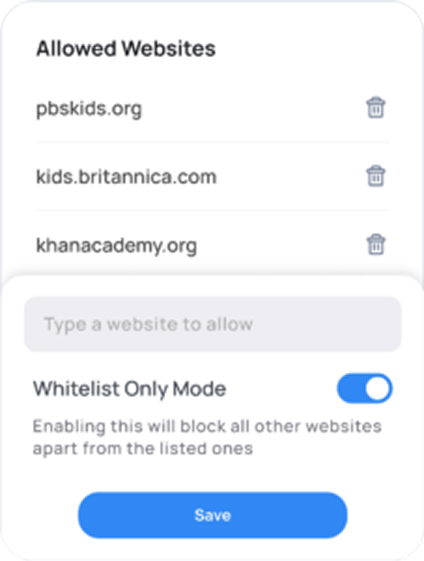
Allowed lists for educational platforms
Parents can explicitly allow school portals, learning management systems, and trusted educational websites or channels. This ensures learning platforms stay accessible even when general browsing is restricted.
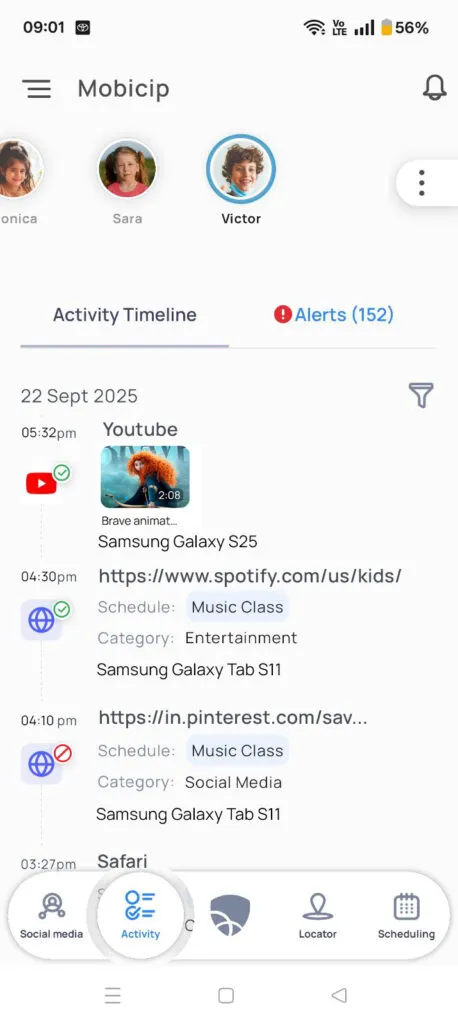
Activity monitoring and reports
Weekly activity reports help parents see how time is split between learning and entertainment. These insights support informed adjustments to settings, rather than constant supervision or punishment.

Take Away
Blocking apps and websites isn’t about control, it’s about helping children focus during the moments that matter most. Smart blocking helps kids build healthy focus habits by reducing digital noise while keeping learning on track. When educational access stays open and distractions stay in check, children can use their devices with purpose instead of frustration.
Involving kids in decisions about which apps and websites are allowed for learning also makes a difference. When children understand the “why” behind these limits and have a say in the process, they are more likely to cooperate rather than push back. Over time, this shared approach builds trust and encourages digital self-discipline.
With the right tools and ongoing conversations, screens don’t have to compete with learning. Instead, they can actively support it. Thoughtful boundaries, combined with guidance and flexibility, help families turn everyday devices into tools that enhance focus, responsibility, and long-term learning habits.